Disclaimer: Some content in this article may be AI-generated and might not be fully accurate. Please double-check any critical information, or reach out to us if you have questions or find any issues.
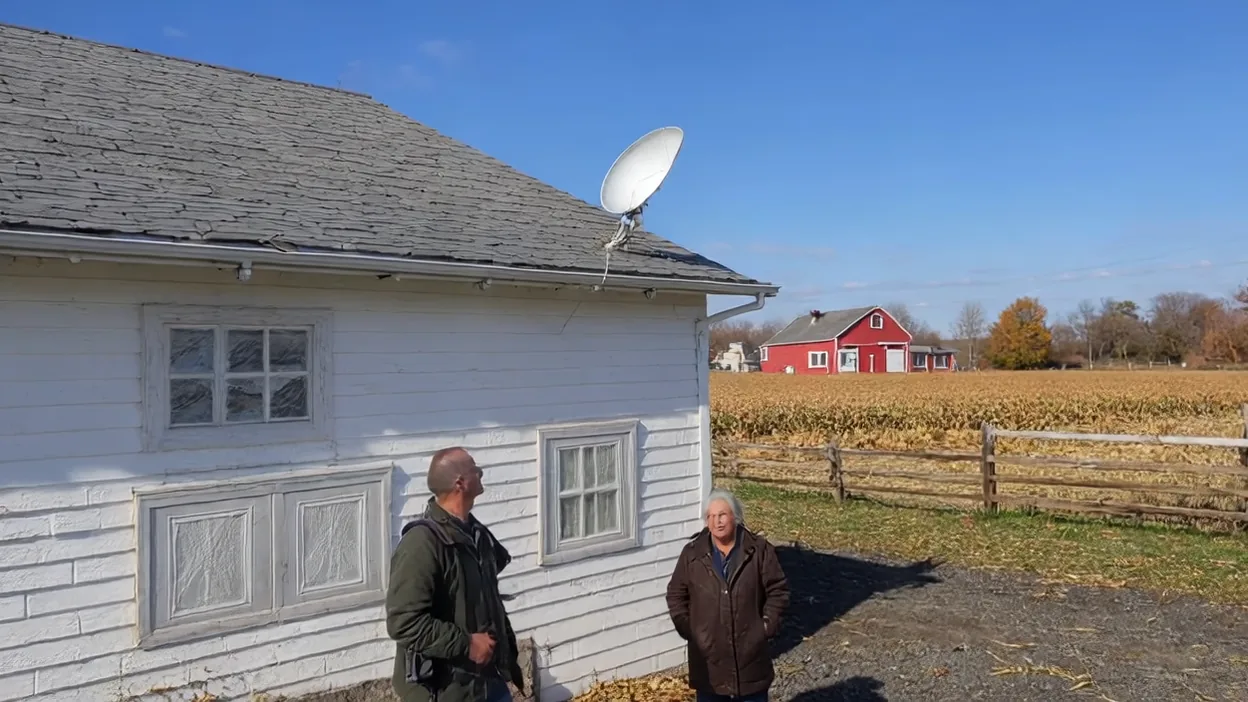
If you're still dealing with throttled DSL speeds, unreliable cable, or the bleak reality of "no ISP serves your area," Starlink has quietly become one of the most compelling internet options available — not just for rural users, but for anyone who's tired of being held hostage by a local monopoly.
I've been watching Starlink mature since its early beta days, and in 2026 it's no longer an experiment — it's a legitimate primary internet option for a huge portion of the population.
Support Noah Knows Tech
Ready to make the switch?
Using our referral link costs you nothing extra and helps keep this site running — we get one free month of service when you sign up.
Sign Up for StarlinkTL;DR
- Speeds: 50–250+ Mbps down, consistently beating DSL and often matching cable
- Latency: 20–60ms — far better than old-school satellite (600ms+)
- Pricing: $35/month for first 4 months, then $50/month (100 Mbps plan, as of 4/8/2026) — no contracts, pause or cancel anytime
- Self-install: Plug in and point at the sky — setup takes minutes
- Best for: Rural/suburban users, remote workers, backup connections, RVs and boats
- Use our link: starlink.com/residential — supports us at no extra cost to you
The Problem with Traditional ISPs
In most of the U.S., you have one real broadband option. Maybe two if you count a cellular hotspot. Cable companies have operated as geographic monopolies for decades, which means slow infrastructure upgrades, mediocre customer service, and pricing that only goes up.
DSL over aging copper? Often capped at 10–25 Mbps even in 2026. Fixed wireless? Decent in some markets, spotty in others. For rural users, the situation has historically been even worse — a 10 Mbps connection at premium prices, or nothing at all.
Starlink changes the equation because it doesn't care about your zip code.
What Makes Starlink Different
Traditional satellite internet (HughesNet, ViaSat) used geostationary satellites parked 22,000 miles above Earth. The physics of that distance meant round-trip latency of 600ms or more — completely unusable for video calls or gaming, and miserable for basic browsing.
Starlink uses Low Earth Orbit (LEO) satellites at roughly 340 miles altitude. That's the difference between calling someone across town and calling someone on the moon. The result is latency in the 20–60ms range — competitive with cable internet — while delivering real download speeds that typically land between 50 and 250 Mbps depending on your plan and local network load.
Real-World Performance
Speed test numbers look great on paper, but what does it actually feel like day-to-day?
- Video calls (Zoom, Teams, Google Meet): Work well. No lag, no dropped frames under normal conditions.
- 4K streaming: Handles it without issue on the Residential plan.
- Remote desktop / RDP: Usable. Not as snappy as fiber, but completely workable for remote work.
- Online gaming: Hit or miss depending on the game. 40–60ms latency is fine for most titles, though competitive FPS players may notice it.
- Large file uploads: Upload speeds (typically 10–20 Mbps on Residential) are the weakest link — fine for most users, limiting if you're pushing large backups or video files constantly.
Who Should Switch to Starlink
Rural and Suburban Users
This is Starlink's strongest use case. If you're outside a metro area and your current options are DSL under 25 Mbps or fixed wireless with questionable reliability, Starlink is almost certainly an upgrade. For people who have never had a genuinely fast, low-latency connection at home, it's transformative.
Remote Workers
Working from home requires a connection you can depend on. Starlink's uptime is solid (some weather-related outages, but these are typically short). If your current ISP has a habit of unexplained outages, or if your cable connection bogs down when the neighbors all get home at 5pm, Starlink as either a primary or backup connection solves the problem.
Anyone Who Wants a Backup Connection
Running a small business from home? Having Starlink as a failover to your cable connection is an inexpensive way to guarantee uptime. You can set it up on a secondary router and switch manually, or use a device like a Ubiquiti gateway to handle automatic failover.
RVs, Boats, and Off-Grid Living
Starlink's Roam plans let you take your connection with you. If you spend time in places where cell coverage is poor, a Starlink dish on your roof changes what's possible.
Pricing and Plans
As of April 8, 2026, Starlink is running a promotional price on the 100 Mbps Residential plan: $35/month for the first 4 months, then $50/month ongoing. There's a one-time hardware cost for the dish, and no annual contract — pause or cancel anytime.
At $50/month after the promo, Starlink is significantly cheaper than most cable plans while offering comparable speeds — and without the rate hikes, data cap games, or two-year contracts that cable companies typically push. The $35 intro pricing makes it even easier to try it out with minimal commitment.
Setup Is Genuinely Easy
Starlink ships with the dish ("Dishy"), a power supply, and a cable. You point the dish at an unobstructed patch of sky (the Starlink app will show you exactly where to aim and flag any obstructions), plug it in, and connect to the WiFi network it creates. Most installs take under 30 minutes with no technical experience required.
If you want to use your own router (recommended for anyone running a home network or small business), you can plug the Starlink into any router's WAN port using an adapter, or use Starlink's own router in bypass mode.
The Honest Downsides
It's not perfect, and I'd rather be upfront about that:
- Upload speeds are modest. 10–20 Mbps upload is fine for most use cases but can bottleneck heavy cloud backup workloads.
- Heavy precipitation can cause brief outages. Snow and heavy rain cause short interruptions. Usually seconds to a couple of minutes.
- Obstruction sensitivity. Trees, chimneys, and rooflines can block signal. The Starlink app will help you find a clear location, but some properties require a roof or pole mount to get a clean view of the sky.
- Hardware cost. The dish is $299–$599 depending on the plan tier, which is an upfront cost cable doesn't have.
- Network congestion in dense areas. In heavily populated areas, speeds can dip during peak hours as more subscribers share the same satellites. Urban users with cable access may not see a meaningful improvement.
Bottom Line: Is It Worth It?
For rural users, remote workers without reliable alternatives, or anyone fed up with their ISP's service quality, yes — Starlink is absolutely worth it. The technology has matured, the pricing is competitive, and the setup couldn't be simpler.
For urban users with access to fiber or solid cable, the calculus is more nuanced. Starlink could still make sense as a backup or if your current ISP's reliability is genuinely bad, but it may not outperform a well-run cable or fiber connection in a dense metro area.
Use Our Referral Link
If you've decided Starlink is right for you, please consider signing up through our referral link below. It costs you nothing extra, and we receive one free month of service — which directly helps support this site and the content we create.
Just click the button, and the referral is automatically applied to your order.
Sign Up for StarlinkOpens Starlink's official site. Referral code: RC-DF-11526313-96546-98
Have Questions About Switching?
Not sure if Starlink will work for your situation, or need help setting it up alongside your existing network? We can help evaluate your options and get your connection configured properly.
Contact NHM Ohio and we'll be happy to help.